WINDOWS SOFTWARE FOR ECU PROFESSIONALS

Move OTP data.
Prove every byte.

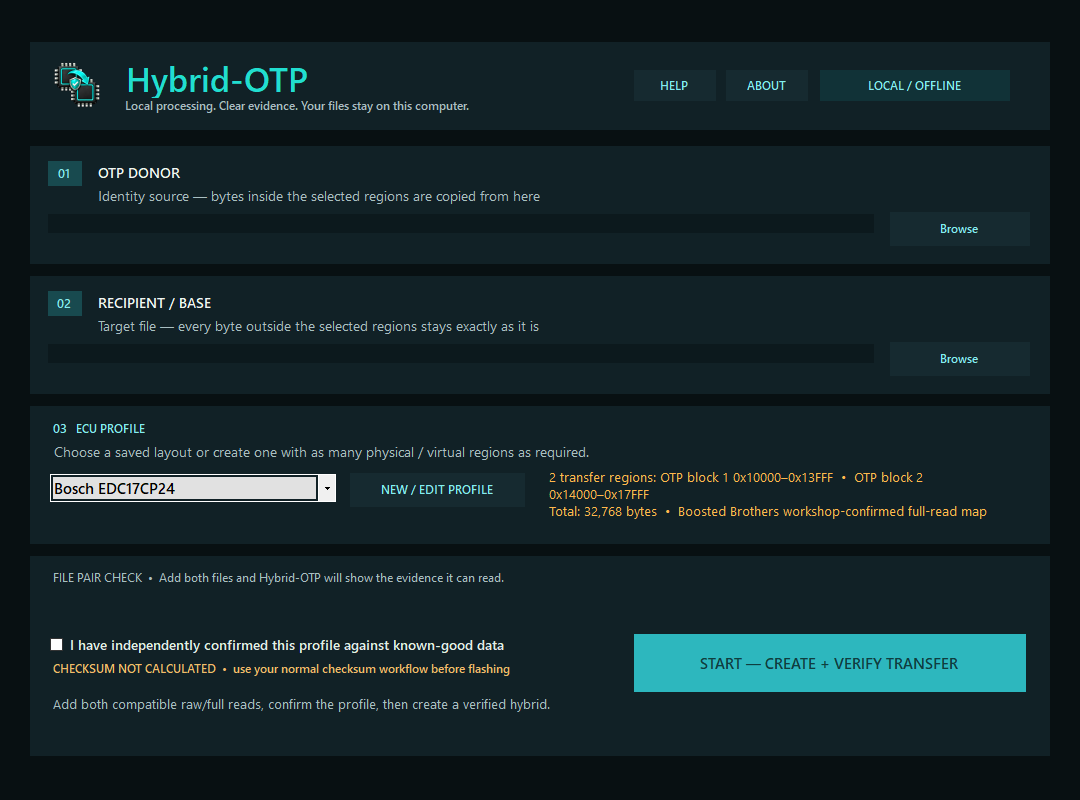
Move the OTP regions you choose from one full read to another, then check every byte. Your files stay on your PC and both originals stay untouched.

Hybrid-OTP workbench
Runs locallyYour binaries stay on your PC
Exact regionsOne or many inclusive ranges
Byte verifiedSelected and preserved areas checked
Evidence includedSHA-256 transfer report per job
HOW IT WORKS

From two full reads to one verified hybrid.

Choose the donor, choose the recipient, select the OTP regions and check the output. The report shows exactly what changed.

1
Choose the OTP donorThe identity source for bytes inside your selected regions.
2
Choose the recipientThe base file preserved everywhere outside those regions.
3
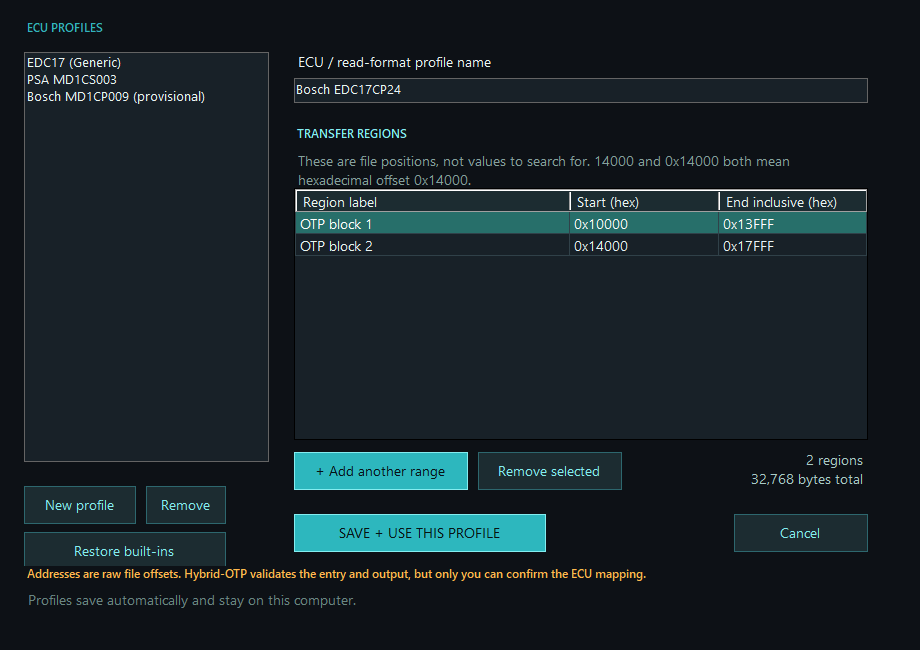
Select or create a profileSave reusable layouts with multiple physical or virtual ranges.
4
Create and verifyA new file and human-readable evidence report are produced together.
EDC17CP24 two-range profile example
WHY WE BUILT IT

Less repeat work. A clear record of every transfer.

01
Preserve both originals

Hybrid-OTP writes a new recipient-based output. Donor and recipient files remain untouched.
02
Stop obvious mistakes

File-size, path, range-boundary, overlap and blank-source checks catch common errors before output.

03
Know what changed

Every selected byte must equal the donor. Every other byte must equal the recipient.

04
Build your own library

Create, edit, remove and restore profiles instead of repeating offsets for every job.

05
Keep an audit trail

Paths, ranges, byte counts and SHA-256 fingerprints are recorded beside the output.

06
Learn without risk

The installer includes a guided EDC17CP24 example and two synthetic practice files.

CLEAR BOUNDARIES

Know what the software checks.

HYBRID-OTP VERIFIES

The transfer it performs

  • Selected regions match the donor
  • Everything outside matches the recipient
  • Output length remains unchanged
  • The written file reads back correctly
YOU STILL NEED TO CHECK

Compatibility and flash readiness

  • Correct ECU/read-format mapping
  • Donor and recipient compatibility
  • Checksum calculation or correction
  • The final programming decision
WHAT YOU GET

Ready to install and try.

You get the installer, guide, two practice files, profile tools, activation and updates.

Try it with the practice files first. Check the output and report before using it on a live job.

Loading the catalogue…
PAYMENT RETURN

Preparing your software…

Waiting for Square to confirm the payment securely.